How to Get Your Business Recommended by ChatGPT
What AI assistants look at when they name a business, and the practical steps that make yours one they can find, trust and quote.
 Tom Post · 9 min read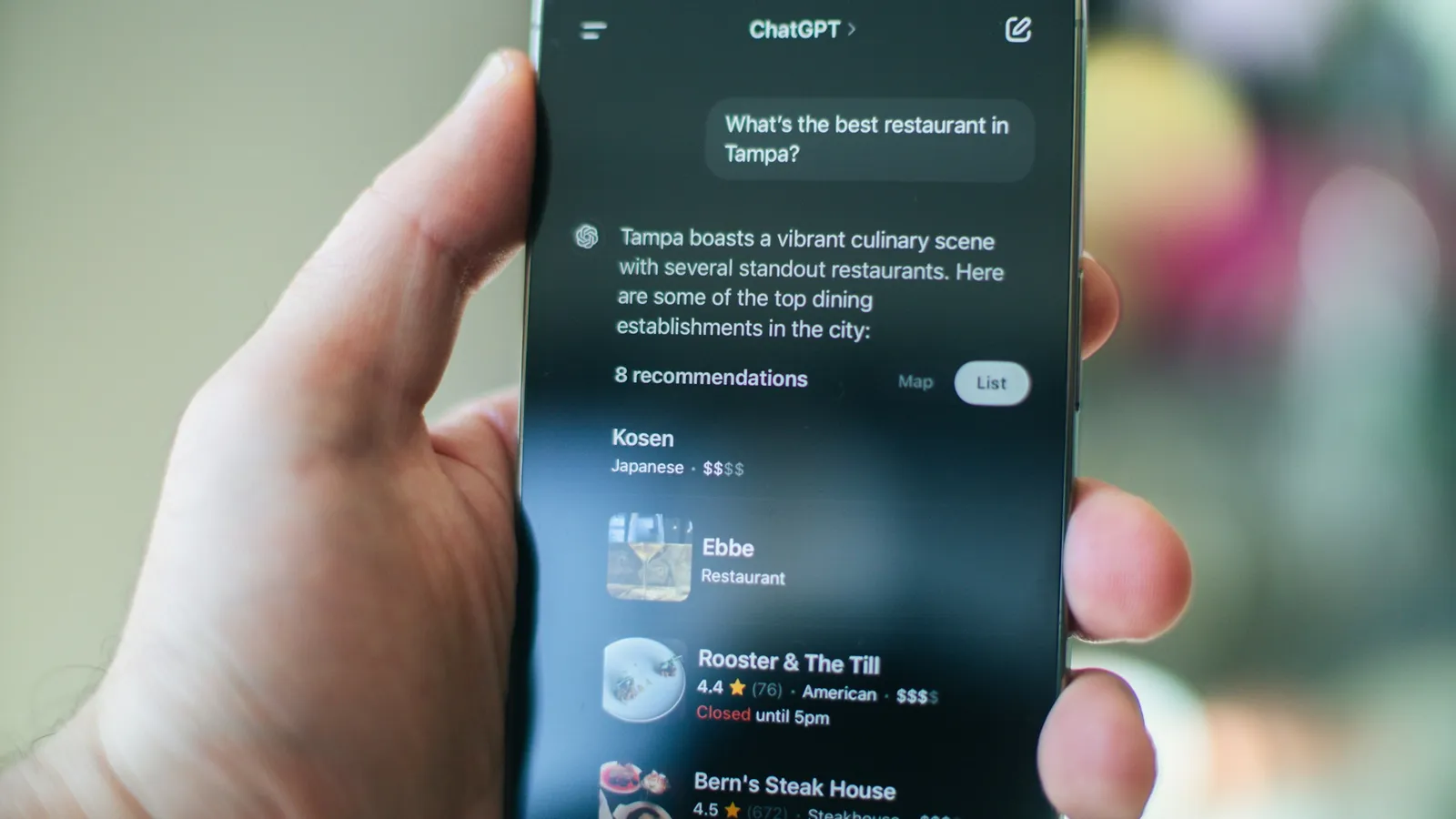
The short answer
ChatGPT, Google's AI Overviews and AI Mode, Gemini and Perplexity recommend businesses they can find, understand and trust. When someone asks "who's a good roofer near Princeton?", the assistant searches the web, reads what it finds about the businesses that come up, and names the ones that clearly match the question and look well regarded. To be one of them, your website has to say plainly what you do and where, your details have to match everywhere they appear, and other people (reviews, directories, local press) have to back you up.
 ChatGPT
 Google
 Gemini
 Perplexity
There's no form to fill in, and no way to pay for a place in the answer itself. ChatGPT now shows ads to some users, but OpenAI says they're labeled, kept separate from the answer and don't change what it recommends. Most of the work is the same work that helps you on Google, done with a little more care about how clearly you say things.
How AI assistants choose a business
When a question needs current, local information, these tools don't answer from memory alone. They look things up, then write an answer from what they find, usually with links to their sources.
- 1Someone asksWho's a good roofer near Princeton?
- 2It searches the webIt turns the question into a few searches, for the asker's area, and sends them to a search engine.
- 3It reads what it finds
- Business websites
- Google Business Profiles
- Directories (Angi, BBB, Expertise.com)
- Reviews
- Local news and lists
- 4It names a few businessesRidgeline Roofing: metal and asphalt roofs, known for fast quotes.1Two Rivers Roofing: family run, 400+ reviews.2
OpenAI describes this for ChatGPT in its help pages: it rewrites the question into targeted searches, sends them to search partners (it names Microsoft among them), uses an approximate location from the asker's internet connection, and on phones can show a map of businesses. The businesses that get named tend to be the ones that:
- Show up in the search results the assistant reads. If search engines can't find you for the question, the assistant usually can't either.
- Match the question clearly. A page that says exactly what you do and where is easy to quote. A slogan isn't.
- Look trusted by others. Reviews, ratings, directory listings and mentions on other sites give the assistant confidence to recommend you, and give it details to repeat ("known for fast quotes and tidy crews").
- Have consistent facts. When your name, address, phone, hours and services agree everywhere, the assistant has no reason to doubt them.
Other people's pages matter more than most owners expect. One study of how ChatGPT answers local questions found that most answers leaned on directories and review sites, and which ones varied a lot:
- of ChatGPT answers that cited a source cited a directory, review site or "best of" list
- 84%
- Cheers, 9,434 answers, Sep 2026
- of answers cited Expertise.com, the most cited site, and 29% Angi or HomeAdvisor
- 32%
- Same study, US home services
Those figures are for home-services questions in the US and Canada, so the sites that matter for a dentist or a bakery will differ. Step 7 shows how to find yours. The rest of this post is how to get each of those right.
1. Make sure you can be found at all
Start with the basics that let search engines and AI tools reach your site:
- Your site isn't blocking them. Check your robots.txt file (yourdomain.com/robots.txt). Some site builders and security plugins block crawlers by default. Unless you have a reason not to, allow the main search engines and the AI search crawlers.
- Google and Bing both know about you. Set up Google Search Console and Bing Webmaster Tools and submit your sitemap. Bing is easy to overlook, but Microsoft is one of ChatGPT's search partners.
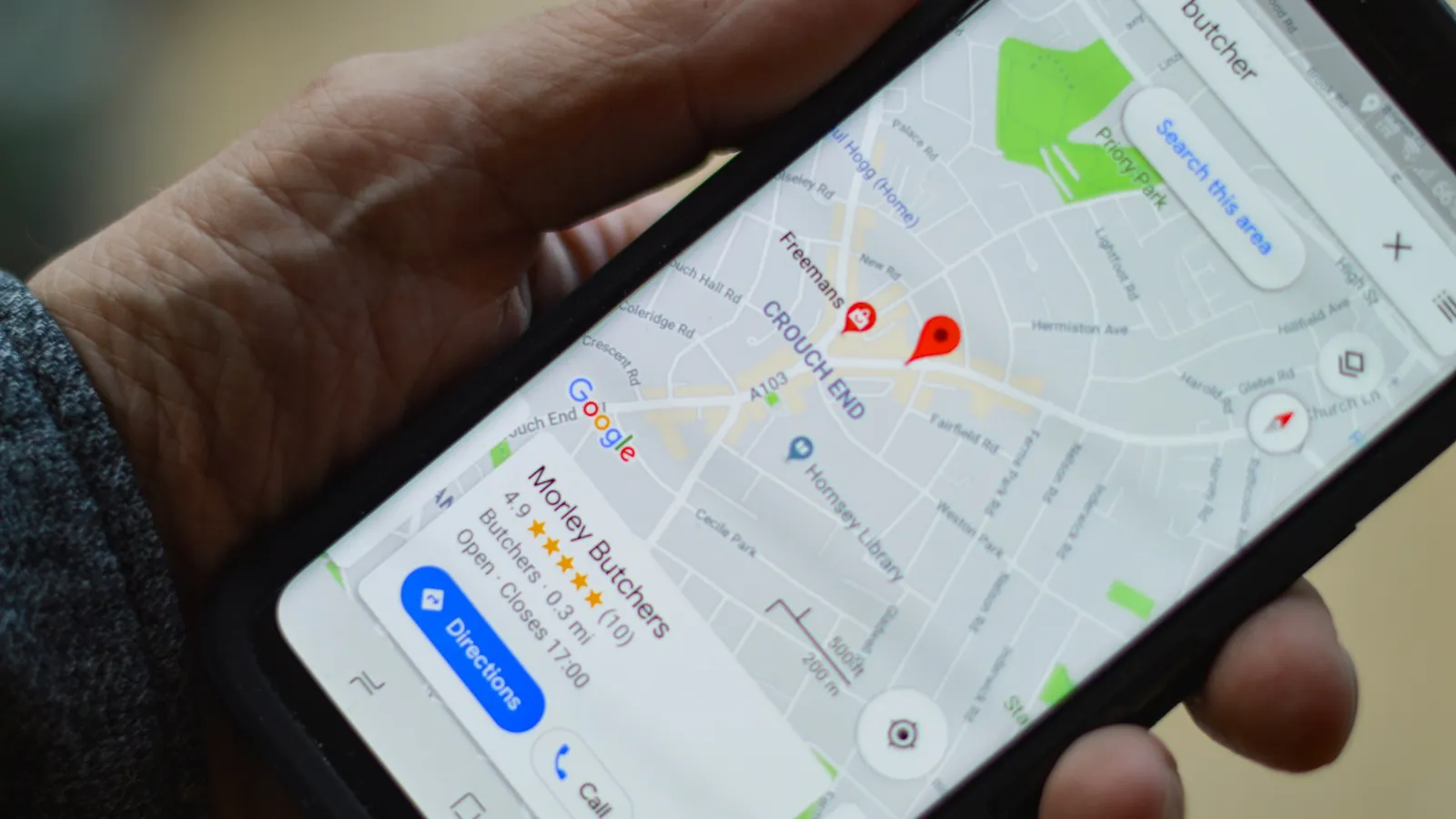
- Your Google Business Profile is complete. For local questions it's one of the first places any tool looks. If you're not on the map yet, start with why your business isn't showing up on Google Maps.
OpenAI uses separate crawlers for search and for training its models, and you can allow one without the other. These two lines let ChatGPT search read your site:
User-agent: OAI-SearchBot
Allow: /
2. Say what you do, for whom and where, in plain words
AI answers are built from sentences they can lift. Pages that state the facts directly get quoted; pages full of slogans don't.
Hard to quote
“Quality craftsmanship since 1998.”
Easy to quote
“We repair and replace asphalt and metal roofs in Princeton, Hopewell and Montgomery, and most quotes go out within two days.”
Do this on your key pages:
- Open with one or two sentences that answer the obvious question: what you do, who it's for and where.
- Give each main service its own page, with what's included, who it suits, typical timelines and the towns you cover.
- Add a short questions section to service pages, with the questions customers actually ask you on the phone, answered in a few sentences each.
- Name specifics: brands you install, certifications, years in business, guarantees, the types of jobs you take and don't take. Specific details are what an assistant repeats when it explains why it picked you.
This is the kind of writing we do in our website copywriting work: clear pages that win over the reader and give AI tools something solid to quote.
3. Get your facts straight everywhere
Assistants compare what different sources say about you. Conflicting details (an old address on Yelp, a different phone number on Facebook, last year's hours on Apple Maps) make you a riskier recommendation.
Choose one exact version of your business name, address, phone and hours, and update every listing to match: your Google Business Profile, Apple Business (Apple's new home for what was Business Connect), Bing Places, Yelp, Facebook, your industry's directories and your local chamber of commerce. It's tedious, and it's one of the most useful hours you can spend.
4. Earn reviews that say something
Reviews do double duty: they show an assistant that real customers trust you, and they give it words to describe you.
Helps a little
“Great service!”
Gives an assistant something to repeat
“They replaced our water heater the same day and cleaned up after.”
Ask every customer for a review, every time, with a direct link. Google's rules don't let you ask for specific wording, but an open question like "what stood out about the job?" tends to get more useful reviews than "please leave us five stars." Reply to each one, briefly and personally.
5. Get mentioned on other sites
Assistants give weight to what others say about you, not just what you say about yourself. Good sources for a small business:
- The directories and review sites that come up for your trade (for home services, sites like Angi, BBB and Expertise.com)
- Local news, community sites and event pages
- Trade associations, certification bodies and manufacturer "find an installer" pages
- Local "best of" lists and awards
- Sponsorships and partnerships with other local businesses
Each one is another place where your name sits next to what you do and where. Many of them also link to your site, which helps your Google rankings at the same time.
6. Keep your structured data simple and true
Structured data (schema markup) is code that labels the facts on your pages for machines: this is the business name, this is the address, these are the opening hours. A LocalBusiness block on your home page that matches what the page says is still worth having. But there's no special markup for AI, and Google says so directly:
You don't need to create new machine readable files, AI text files, or markup to appear in these features. There's also no special schema.org structured data that you need to add.
Google Search Central: AI features and your websiteGoogle also stopped showing FAQ rich results in search in 2026, so FAQ markup won't earn you the dropdowns it used to.
7. Check what the assistants say about you
Ask ChatGPT, Gemini, Perplexity and Google the questions your customers would ask, such as "best kitchen remodeler near Bridgewater NJ" or "who installs heat pumps in Flemington", and note who gets named and which sources are cited. Check again every month or two. The sources they cite tell you exactly where to get listed or mentioned next.
Answers vary from one ask to the next, so look for patterns over time rather than reacting to a single answer. Visits from Google's AI Overviews and AI Mode are counted in your Search Console Performance report, along with the rest of your Google traffic.
What not to waste time on
- Tricks and hidden text. Stuffing pages with keywords or writing invisible text "for AI" doesn't work and can hurt you with search engines.
- AI text files. Files like llms.txt don't hurt, but Google says it doesn't need them, so don't expect one to get you recommended.
- Paying for "guaranteed" AI placement. No one can guarantee what an assistant will say. Be wary of anyone who claims they can.
- Rewriting everything for robots. The pages that do best in AI answers are the ones that are clearest for people. Write for your customers first.
Where to start
If you only do three things this month, do these. They cover most of what makes a business easy to recommend:
Your AI answers checklist
0 of 5 done
Your ticks are saved in this browser, so you can come back to the list.
If you'd like help, our AI search visibility service does all of the above and tracks how often you're named, and local SEO covers the map side of the same work.
Frequently asked questions
Can I pay to have ChatGPT recommend my business?
Not in the answer itself. OpenAI has started showing ads in ChatGPT in the US and some other countries, but they're labeled as sponsored, shown apart from the answer, and OpenAI says they don't influence what ChatGPT recommends. To be named in the answer, make your business easy to find, easy to understand and well reviewed across the web.
Where does ChatGPT get information about local businesses?
For current, local questions, ChatGPT searches the web through search partners, including Microsoft, using the asker's approximate location. It reads the pages it finds: business websites, listings, directories, review sites and articles. That's why a clear website, consistent listings and genuine reviews matter, and why the sources it cites are good places to make sure your business appears.
What is the difference between SEO and AEO?
SEO (search engine optimization) helps you rank in search results like Google's. AEO (answer engine optimization) helps AI tools quote and recommend you in the answers they write. They overlap heavily: both depend on a findable, clear website and a trusted reputation. AEO puts extra weight on plain, quotable answers and consistent facts across the web.
How long does it take to show up in AI answers?
It varies. OpenAI says robots.txt changes reach ChatGPT search in about a day, and fixing your listings and pages can change what some tools say within weeks. Building the reviews and mentions that make you a confident recommendation takes months. Check the same questions every month or two to see the trend.